%20MA%20.png?width=2550&height=208&name=NHMC%20Header%202023%20(2550%20%C3%97%20208%20px)%20MA%20.png)
Step 1: Open Mortgage Automator and proceed to the In Progress Loans tab from the main dashboard.
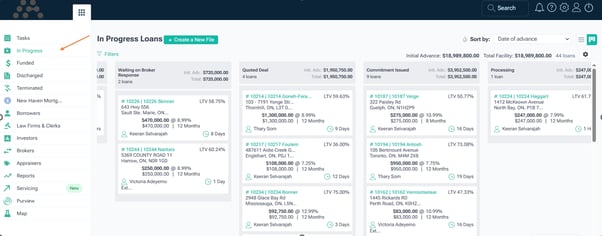
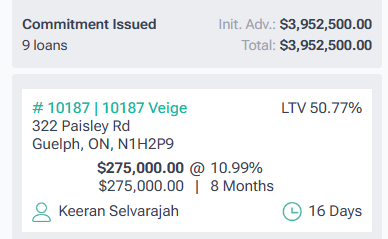
Step 2: Select any loan as required from the list.
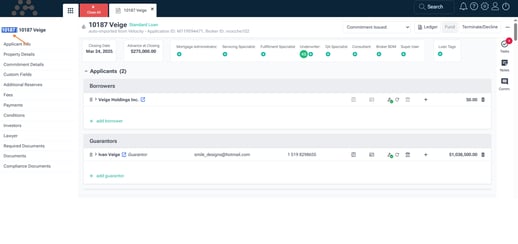
Step 3: Copy the Loan ID from the loan details section. This ID is essential for searching in HubSpot.
Step 4: Navigate to HubSpot, locate the Global Search Bar at the top of the interface.
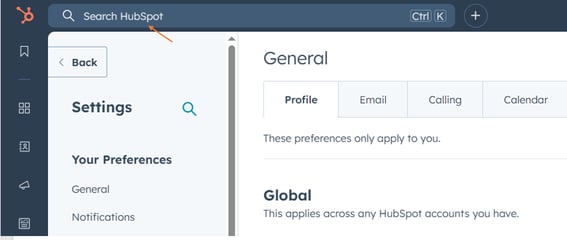
Step 5: Paste the copied MA Loan ID into the Global Search Bar in HubSpot.
- The system will display all records related to the MA Loan ID, including deals, companies, and contacts.
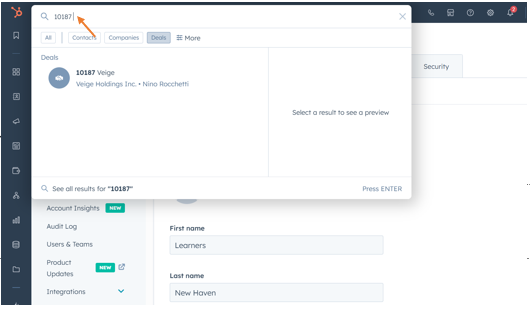
Step 6: Click on the relevant deal to open the record and view the details.