%20MA%20.png?width=2550&height=208&name=NHMC%20Header%202023%20(2550%20%C3%97%20208%20px)%20MA%20.png)
NOTE: Companies from Mortgage Automator are automatically synced to HubSpot. If there are duplicate companies in Mortgage Automator, they will continue syncing into HubSpot even after deleting or merging duplicates within HubSpot.
To effectively manage and prevent duplicate companies, identify any duplicate brokerages or appraisers directly in Mortgage Automator and de-duplicate them within Mortgage Automator. This will help avoid duplication in HubSpot.
Manage Duplicate Companies in HubSpot
HubSpot provides tools to help you easily manage duplicate company records by analyzing and recommending actions based on existing data.
To handle duplicate company records, follow these steps:
-
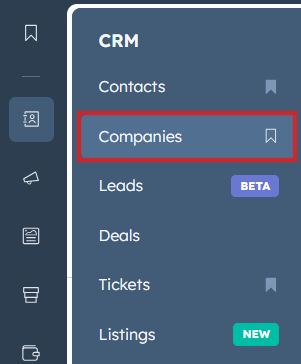
Log into your HubSpot account, then navigate to Companies.
-
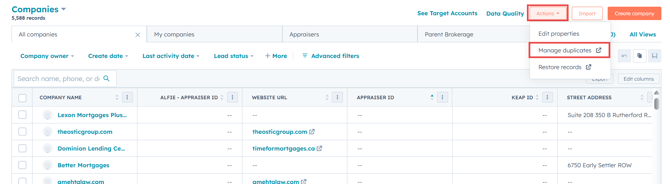
On the Companies dashboard, click the Actions dropdown menu and select Manage Duplicates.
-
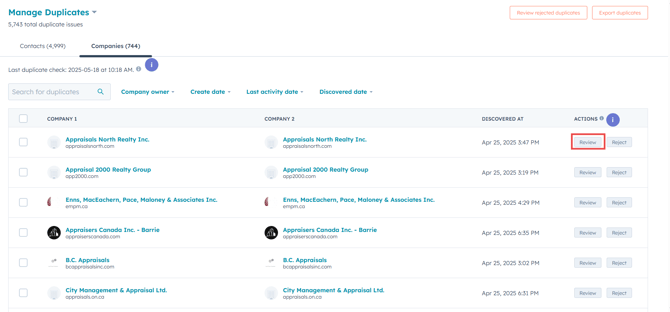
In the Manage Duplicates window, you'll see a list of company records identified by HubSpot as potential duplicates. Click Review next to each set of duplicates to examine the records and determine the appropriate actions.
-
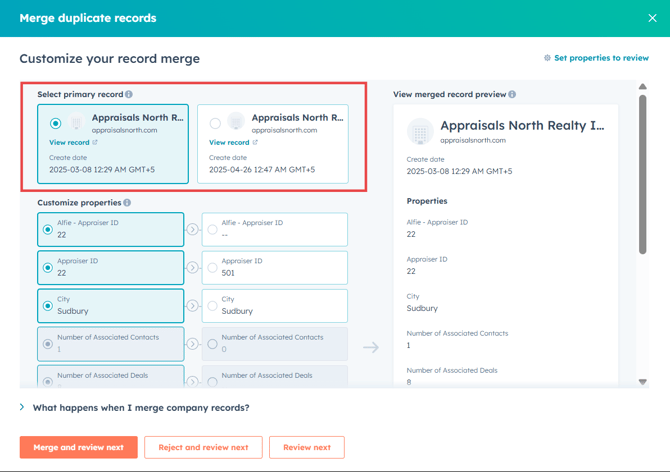
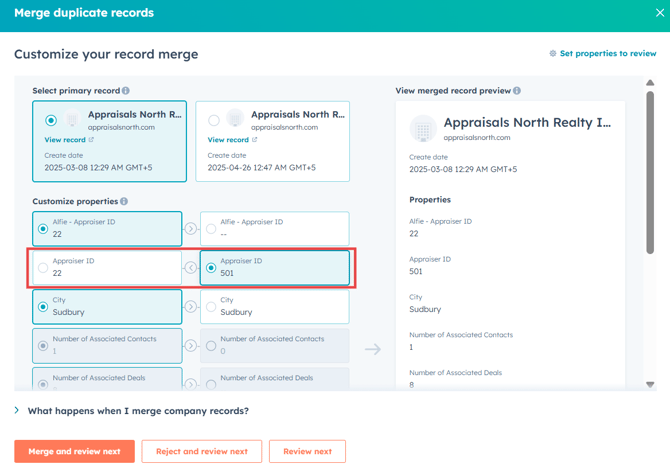
Identify the Primary Company: Choose the primary record based on the data present on the Company records.
-
Review Custom Properties: Carefully compare custom properties from each record. You have the flexibility to select which specific property data you'd like to retain from each company.
-
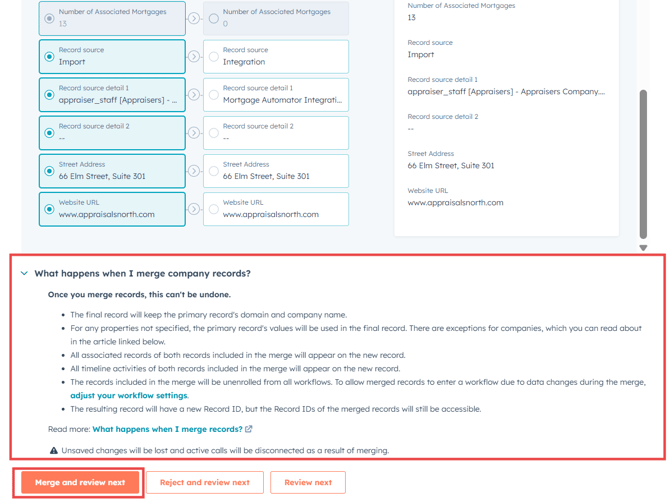
If the records contain similar or complementary data, select the relevant properties you wish to preserve, then click Merge and review next. When merging, the associations (contacts, deals, etc.) from the non-primary records will transfer to the primary record.
-
If the flagged records have significantly different data and shouldn't be merged, click Reject and review next to dismiss HubSpot's recommendation and move forward to reviewing the next set of duplicates.
By systematically reviewing duplicates, you ensure your HubSpot data remains accurate, organized, and optimized for efficiency.