%20MA%20.png?width=2550&height=208&name=NHMC%20Header%202023%20(2550%20%C3%97%20208%20px)%20MA%20.png)
How to associate a promotion with a deal?
To associate a promotion with a deal:
1. From the left sidebar menu, select CRM, navigate and click on Deals under CRM.
2. Search for and open the deal record in HubSpot that you want to associate with a promotion.
3. Scroll down to locate the Promotions section.
4. Click the Add button.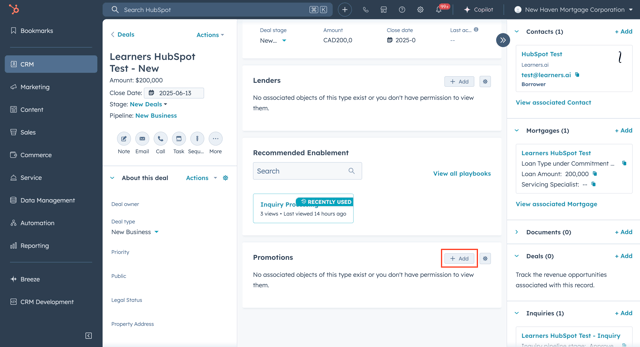
5. In the pop-up window, select Add existing, search and select the promotion you want to associate. 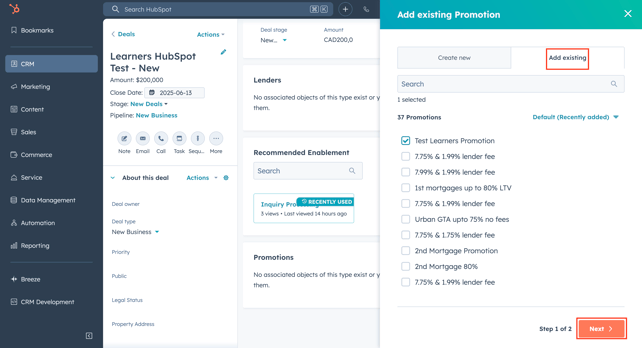
6. Click Next, then Save.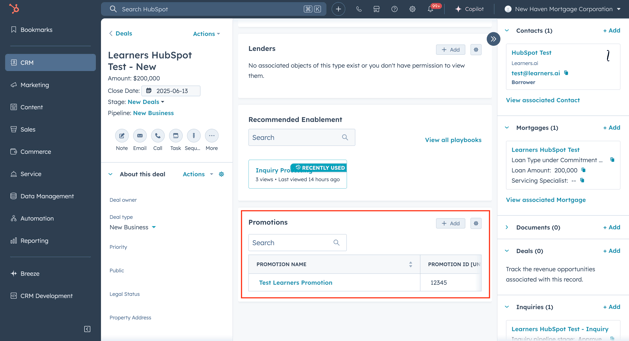
7. The promotion will now be linked to the deal.
How to create a new promotion?
1. Log into your HubSpot CRM2. From the left sidebar menu, select CRM.
3. Navigate and click on Promotions under CRM.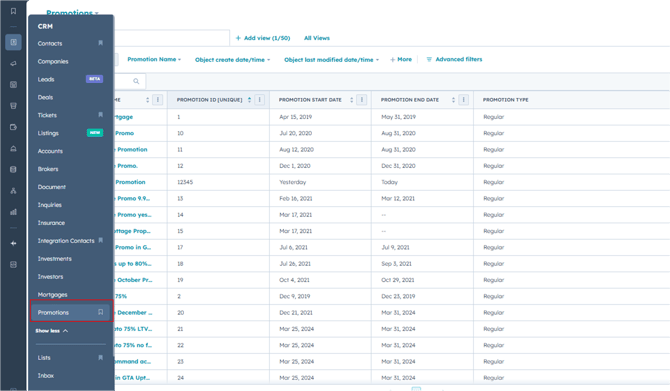
4. Click on the Create promotion button at the top right corner.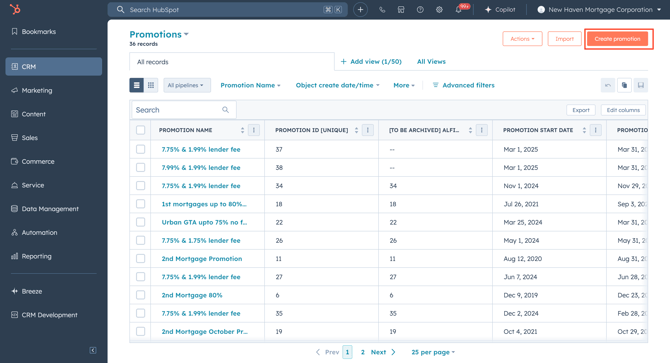
5. Enter details for your promotion, including Promotion Name, Promotion Start Date, Promotion End Date, Promotion Entered By and Promotion Type.
6. After entering all necessary details, click on the Create Promotion button.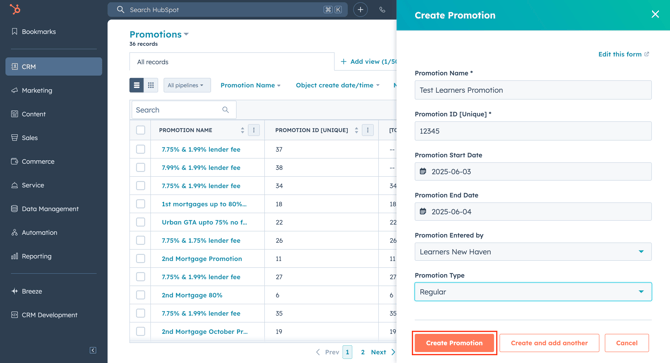
Once the promotion is created, the Promotion Details page will be displayed, allowing you to view the related properties and associations.