%20MA%20.png?width=2550&height=208&name=NHMC%20Header%202023%20(2550%20%C3%97%20208%20px)%20MA%20.png)
Overview:
Mortgage Automator (MA) is integrated with HubSpot (HS), syncing broker records into a custom HubSpot object called "Brokers." However, MA allows multiple broker entries, with the same License number. This results in duplicate broker records in HubSpot, complicating broker data management.
Solution to Cleanup Broker Duplicates:
1. Identifying Broker Duplicates in Mortgage Automator (MA):
-
Step 1: Navigate to this HubSpot list to view potential duplicate broker records:
https://app.hubspot.com/contacts/47968591/objectLists/1176/filters

- Step 2: Log in to Mortgage Automator (MA).
-
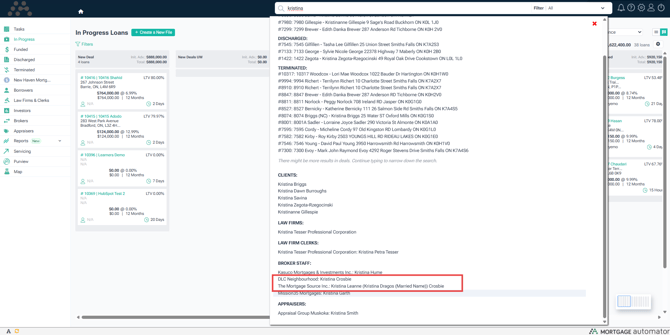
Step 2: Use the search bar in MA to locate brokers by name or email.
-
Step 3: Review the list of brokers returned by the search to identify duplicate broker records in MA..
-
Step 4: Open each Brokerage record and open the broker staff record for 'Kristina Crosbie' from these Brokerage.
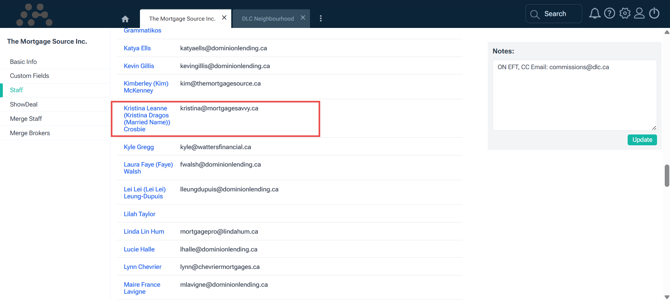
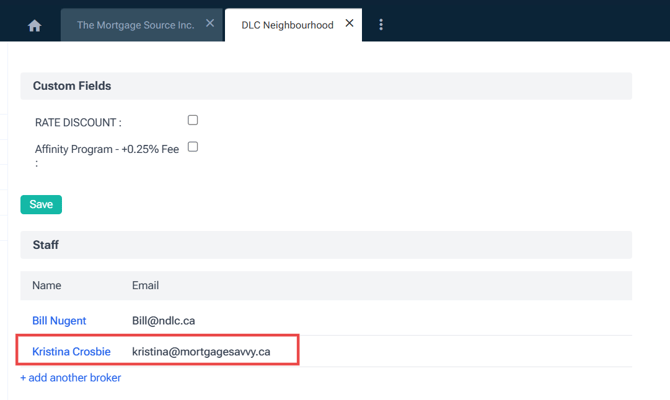
- Step 5: Verify the License Number for each broker staff record. If both broker staff have the same License number, they can be merged by following these steps:
- Verify the number of loans associated with each broker staff
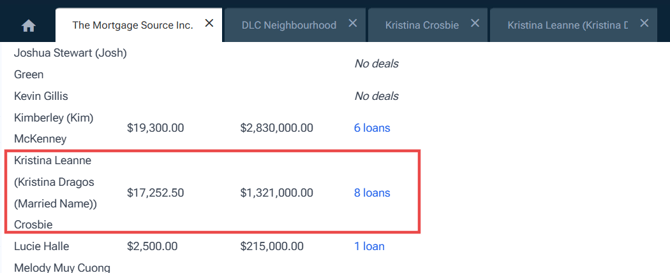
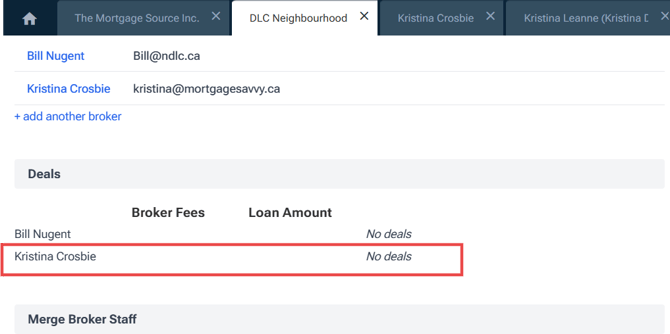
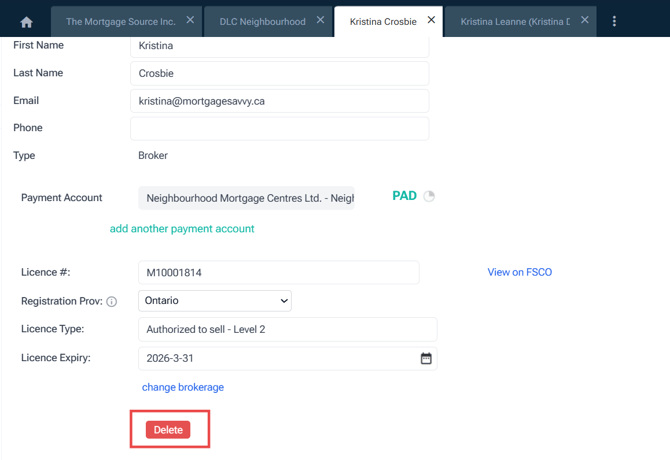
- Verify all information and use the delete button to delete the broker staff with no loan associated
-
If both records have associated loans:
-
First, transfer loan associations from the duplicate to the primary record.
-
Once loans are consolidated under the primary record, delete the duplicate broker staff record.
-
- Verify the number of loans associated with each broker staff