%20MA%20.png?width=2550&height=208&name=NHMC%20Header%202023%20(2550%20%C3%97%20208%20px)%20MA%20.png)
This guide walks you through the process of associating records between different objects in HubSpot. We’ll specifically focus on associating tickets with contacts, but the same steps can be applied to link other record types, such as companies, deals, mortgages or other objects.
To associate a ticket with a contact:
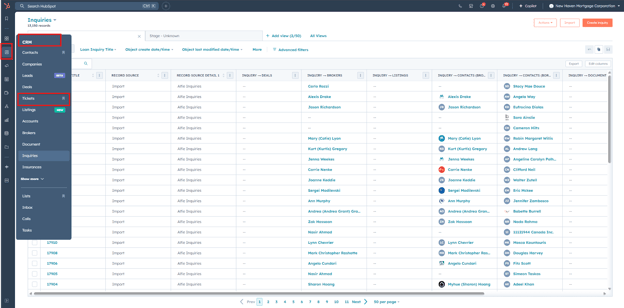
- Navigate to CRM then Tickets.
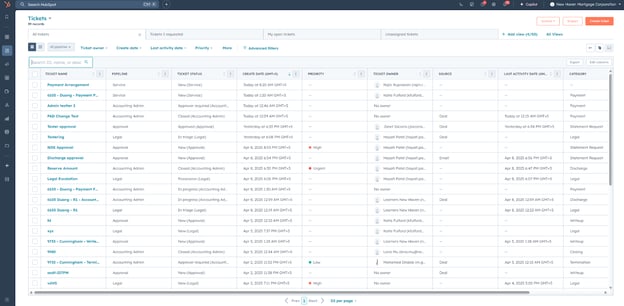
- Find the ticket you want to associate.
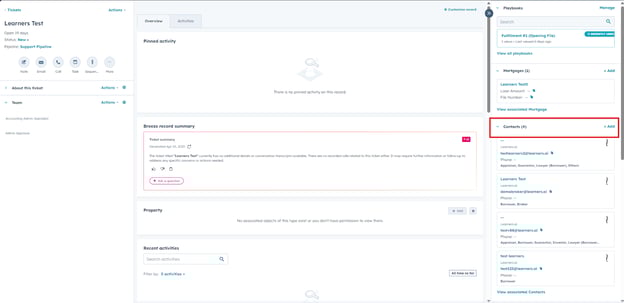
- Under the Contacts section, click Add.
- Click Create new if you want to create a new contact to associate.
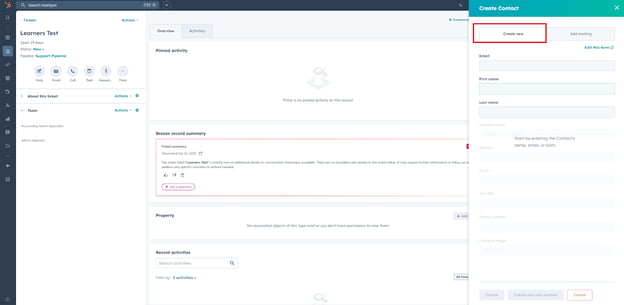
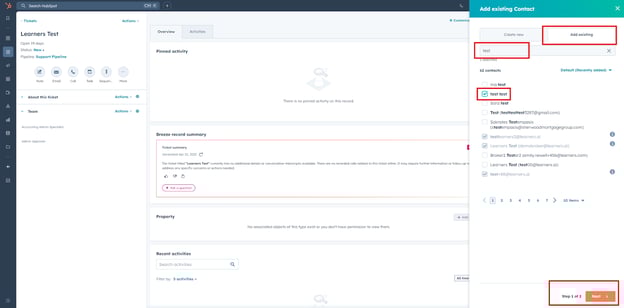
- Click Add existing, search for your contact, select it, and then click Next.
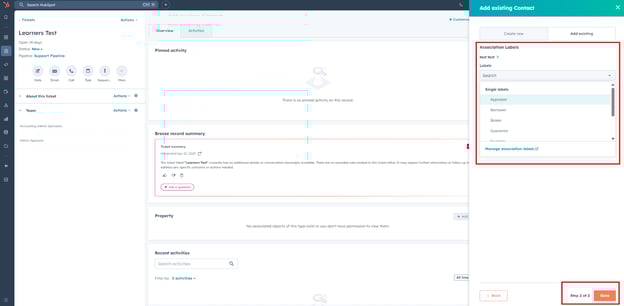
- Click Add association label if you want to and click Save.
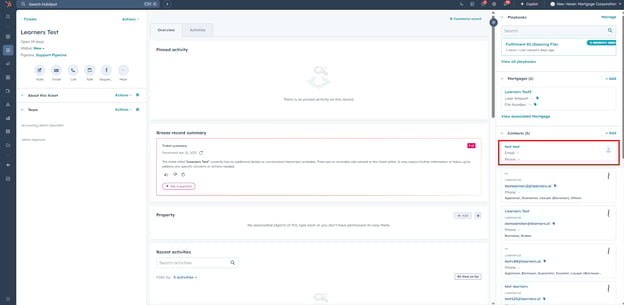
- Your association is added and you can view it under the association section. The same procedure applies for other associations.
NOTE:
To associate tickets with a Mortgage record, you can use the File Number to search and locate the appropriate Mortgage.