%20MA%20.png?width=2550&height=208&name=NHMC%20Header%202023%20(2550%20%C3%97%20208%20px)%20MA%20.png)
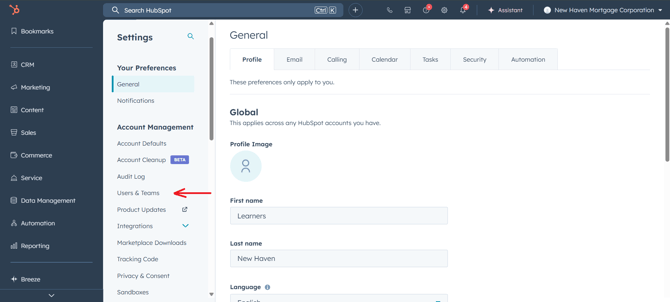
Step 1 – Go to User Settings
1. Log in to HubSpot with Super Admin permissions.
2. Click the Settings (gear icon) in the main navigation bar.
3. In the left-hand menu, select Users & Teams.
Step 2 – Find the User
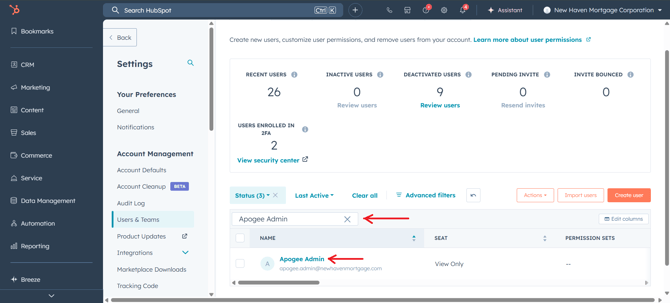
1. Use the search bar to locate the user by name or email.
2. Click on the user’s profile to open their details
Step 3 – Reassign Ownership
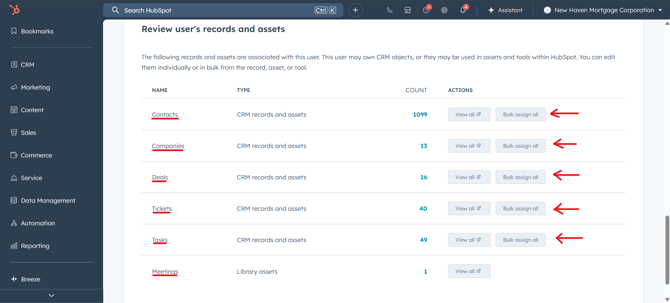
In the user’s profile, review all records and assets listed under Review user’s records and assets section. The system will display counts of items currently owned by the user.
Reassignment Actions:
1. Click View all to see individual records or use Bulk Assign All to transfer ownership in one step.
2. Reassign according to New Haven’s process:
-
-
Deals & Mortgages → Servicing Specialist
-
Contacts & Companies → Correct account owner
-
Tickets & Tasks → Relevant team member
-
Meetings → Appropriate manager or host
-
Important: Ensure all assets are reassigned before deactivating the user to avoid gaps in ownership.
Additional Ownership Fields
When reassigning ownership from Review user’s records and assets, only records where the Owner field matches the selected user are updated.
This does not cover cases where the user is assigned in other fields, such as:
-
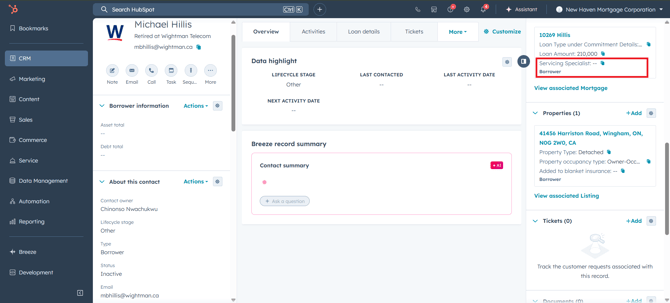
Servicing Specialist
-
Other HubSpot user-type properties (e.g., Loan Officer, Account Manager, etc.)
To ensure a complete transfer:
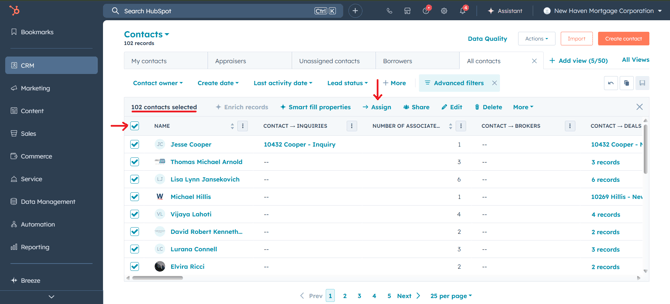
1. Create a list or report to identify records where the deactivated user is assigned in these custom fields.
2. Use bulk edit or workflow updates to reassign these fields to the appropriate replacement user.
3. Verify that all custom user-type properties (especially Servicing Specialist) have been reassigned.
Step 4 – Deactivate the User
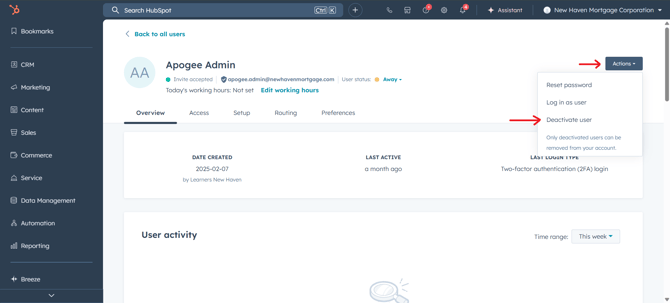
1. From the user profile, click Actions.
2. Choose Deactivate User.
3. Confirm your choice.
Once the user is deactivated and ownership is reassigned, the process is complete — ensuring business continuity and compliance with New Haven’s procedures.