%20MA%20.png?width=2550&height=208&name=NHMC%20Header%202023%20(2550%20%C3%97%20208%20px)%20MA%20.png)
Add comments in Notes
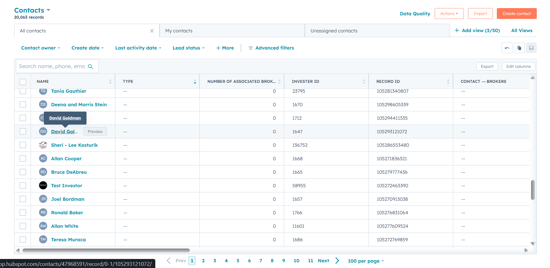
- In your HubSpot account, Navigate to CRM and select Contacts or any other CRM Object.
- Search for the record on which you want to mention your team mate and click on its name to open the detailed record.
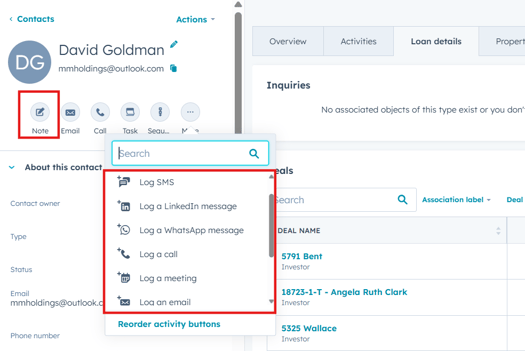
- In the opened Contact record, select Notes or any Log activity in which you want to mention or add comment for team member.
- In the notes section, you can type in the notes for the contact record and mention your team members by using '@' and then typing the name or email of the team member.
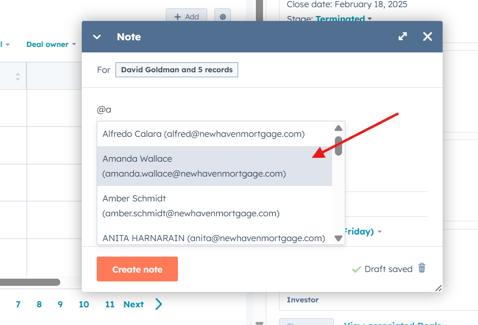
- The mentioned user will receive a notification based on their notification preferences.
- Similarly, comments can be added on already logged activities such as notes, calls, meetings, tasks etc.